How To Keep People From Snooping On Your Devices
- Burton Kelso, Tech Expert
- Jan 20
- 4 min read
Updated: Feb 16
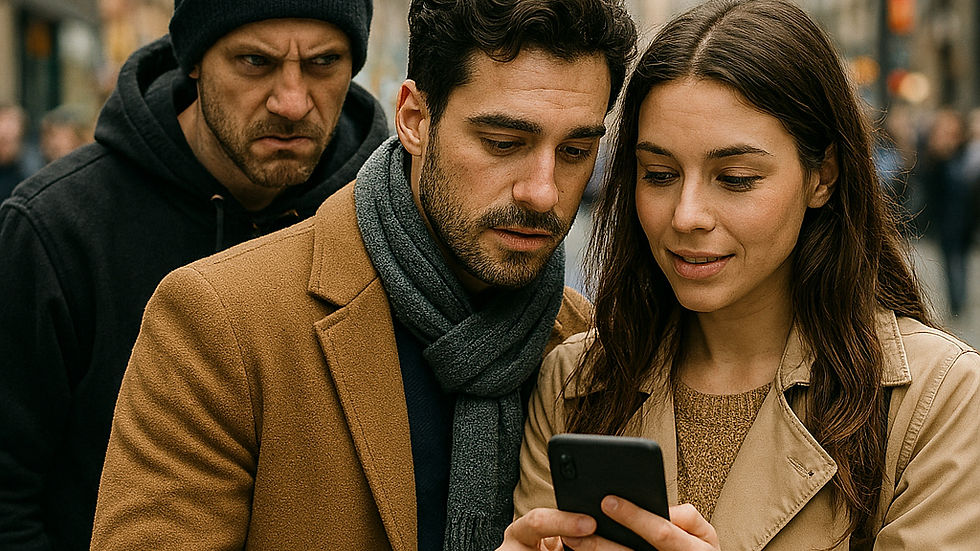
In 2026, digital privacy is no longer a passive state to be taken for granted; it is an active defense strategy. Making your devices "impossible" to snoop on requires moving beyond basic passwords and entering the realm of digital protection, where you need to treat every connection as a potential vulnerability and every screen you own as a public display. This guide isn't just about hiding; it’s about reclaiming your right to be invisible in an era of total transparency. Here's what you need to know:
In an era where your smartphone knows your heart rate, your bank balance, and your location at all times, the idea of "snooping" has evolved from someone peaking over your shoulder to invisible entities harvesting your data. Take these steps to keep your phone locked down.
Here are some things you can do physically to keep your devices safe.
Use Biometrics: Use biometric authentication like Face ID or fingerprint scans.
Enable Auto-Lock: Configure your devices to lock automatically after a short period of inactivity (e.g., 30 seconds or one minute) to prevent access if you walk away.
Use a Privacy Screen Protector: For protection against casual "shoulder-snooping" in public, an inexpensive privacy screen protector darkens the display when viewed from an angle, making it visible only to the person directly in front of it.
Use Screen Pinning/Guided Access: If you must lend your phone to someone, use features like Android's Screen Pinning or iPhone's Guided Access to lock the user into a single app, preventing them from accessing other parts of your device.
Consider Webcam Covers: For laptops and tablets, use a physical cover for your webcam and microphone to prevent potential remote spying.
Here are some digital security practices you can use to keep your devices safe:
Keep Software Updated: Enable automatic updates for your operating system and all apps. These updates frequently include security patches for newly discovered vulnerabilities.
Use Multi-Factor Authentication (MFA): Enable MFA on all sensitive accounts (email, banking, social media). This requires a second form of verification (like a code from an authenticator app) in addition to your password, blocking access even if a snoop has your password.
Be Cautious with Wi-Fi and Bluetooth: Avoid using unsecured public Wi-Fi networks for sensitive activities (like online banking). When connected to an untrusted network, use a Virtual Private Network (VPN) to encrypt your internet traffic. Turn off Wi-Fi and Bluetooth when not in use.
Install Apps from Official Stores Only: Only download apps from the official Apple App Store or Google Play Store, and check reviews and permissions before installing.
Review App Permissions: Regularly check which apps have access to your location, microphone, camera, and contacts, and revoke permissions that aren't necessary for the app's function.
Enable Remote Find and Wipe: Activate your device's "Find My" (Apple) or "Find My Device" (Android) feature. This allows you to locate a lost device, lock it remotely, or erase all data if it can't be recovered.
Back Up Your Data: Regularly back up your photos, contacts, and files to a secure cloud service or external drive. This ensures you won't lose important data if your device is compromised or erased.
While no device is entirely impenetrable, these steps ensure that your personal data remains exactly that: personal. In an era of constant surveillance, the greatest luxury you can own is your own invisibility.
If you found this tech tip helpful, forward this blog to a friend or family member or simply use the share icons below now. If you have any questions, please reach out via email or on social media. I'm always available.
About Burton Kelso. Burton Kelso is an internationally recognized 2x TEDx Technology Keynote Speaker and Consumer/Small Business Tech Expert dedicated to making the complexities of the digital world accessible and secure. With over 30 years of experience in the trenches of cybersecurity, digital marketing, and AI ethics, Burton has become a trusted voice for organizations seeking to navigate the rapidly evolving tech landscape. As a high-energy corporate trainer and event speaker, Burton specializes in translating "geek speak" into actionable strategies for leadership teams, small business owners, and everyday consumers. He is a frequent media contributor, providing expert commentary on national and global news outlets regarding AI safety, digital wellness, and cyber-threat mitigation.
Whether he is delivering a virtual workshop or a mainstage keynote, Burton’s mission is to empower audiences to use technology as a tool for growth—not a source of stress.
Looking to book Burton for your next conference or corporate event? Explore Speaking Topics & Availability Here.
Looking for More Useful Tech Tips? If you like video tips, I LIVE STREAM new episodes of 'Computer and Tech Tips for Non-Tech People' every Wednesday at 1:00 pm CST on Facebook, Instagram, LinkedIn, and Twitter.
Want to ask me a tech question? Send it to burton@burtonkelso.com I love technology. I've read all of the manuals, and I'm serious about making technology fun and easy to use for everyone.
Please share this with your friends and family! If you found this post useful, would you mind helping me out by sharing it? Just click one of the handy social media sharing buttons below.
The above content is provided for information purposes only. All information included therein is subject to change without notice. I am not responsible for any direct or indirect damages arising from or related to the use of or reliance on the above content.


Dank u voor dit duidelijke en informatieve artikel. Digitale platforms beГЇnvloeden steeds sterker hoe mensen online communiceren. Meer context en uitleg zijn beschikbaar op de website. De analyse draagt bij aan een beter begrip van online interactie.